Apple has confirmed that watchOS 27, released on September 14, does away with the Digital Crown double-click shortcut for app switching. The gesture that many Apple Watch owners relied on for quick multitasking is no longer available in the new software, and on the newest hardware it has been reassigned to a feature called Live Rewind.
What the Double-Click Used to Do
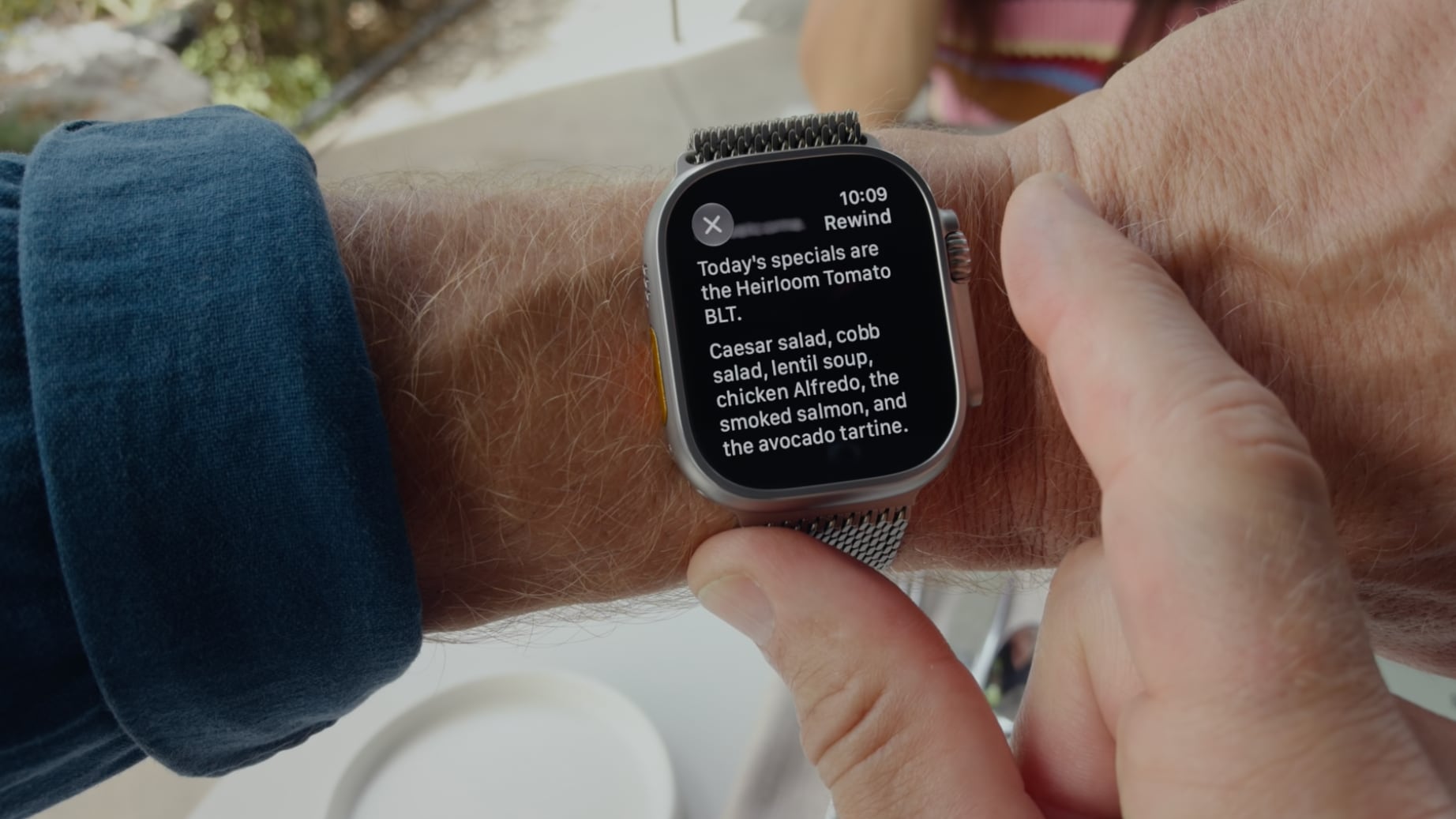
In watchOS 26, double-clicking the Digital Crown switched between the current app and the previous app. The same gesture also toggled between the watch face and the last used app. It was a small but practical convenience, letting users jump back and forth without returning to the app grid or the watch face.
That behavior is gone in watchOS 27. Double-clicking the Digital Crown now opens the dynamic app grid, which is the same action triggered by a single click. In other words, the double-click no longer offers a distinct function on its own.
Live Rewind and Audio Intelligence
The reason for the change is Live Rewind, a new capability tied to Audio Intelligence, which watchOS 27 adds to the latest Apple Watch models. Live Rewind transcribes spoken audio from the last 15 seconds. It is activated by double-clicking the Digital Crown.
Live Rewind is hardware-bound to the Apple Watch Series 12 and Apple Watch Ultra 4. Those models launch on Friday, September 18, and pre-orders are available now. The feature itself is scheduled to activate later this year. Because it depends on the new hardware, Live Rewind is not available on older Apple Watch models.
Impact on Series 12 and Ultra 4 Owners
For anyone buying a Series 12 or Ultra 4, the double-click gesture will serve Live Rewind rather than app switching. There is no user option to reassign the double-click action, so owners of the new models cannot choose to keep the old app-switching behavior. The gesture is fixed to Live Rewind.
Apple could have kept app switching and offered Live Rewind as an assignable action, but the company has not provided that choice. The result is a trade-off: new hardware gains a new feature, but loses a familiar shortcut.
Older Models Lose the Shortcut Without Gaining Live Rewind
Owners of older Apple Watch models who update to watchOS 27 face a different outcome. They also lose double-click app switching, but they do not gain Live Rewind. For them, the double-click now only opens the dynamic app grid, duplicating the single-click action. No alternative gesture is offered for switching between the current and previous app or between the watch face and the last used app.
This group is left without a direct replacement. The change applies across the board, regardless of whether the hardware can support Live Rewind.
No Reassignment and Privacy Considerations
Apple has not included a setting to reassign the double-click action. Users cannot map it back to app switching, nor can they disable Live Rewind in favor of the old behavior. The absence of an option affects both new and older model owners, though in different ways.
Live Rewind also raises privacy implications, as it continuously transcribes recent spoken audio. The brief notes these implications without detailing specific safeguards. Users who are concerned can submit feedback to Apple.
Possible Fix in watchOS 27.1 or Later
There is no immediate resolution for either group of users. Apple has not announced a fix, but a change could arrive in watchOS 27.1 or a later update. Until then, those who want the old double-click behavior have no way to restore it.
For now, the dynamic app grid remains the only outcome of a double-click on watchOS 27. The gesture that once enabled quick app switching has been retired in favor of a feature that only the newest watches can use.