

Apple has introduced iPhone Handoff in iOS 27, an eSIM feature that allows a single phone number to be used on two iPhones. The number is active on only one iPhone at a time, and the user can switch between devices by unlocking either phone. The feature is distinct from Apple’s existing Handoff for continuing app tasks.
How iPhone Handoff works
When the number moves to the active iPhone, calls, voicemail, messages, and Find My location move with it. Messages include iMessage, RCS, SMS, and MMS. A confirmation message reading “Switched to this iPhone” appears on the device that takes over the number. iCloud-synced data updates automatically across both devices.
Third-party apps continue to work on both iPhones, though some may require separate sign-in or take time to sync. Banking apps may require approval on the other device before they can be used. The feature is designed to make switching between two phones seamless for the core communication and location services.
Requirements for iPhone Handoff
Both iPhones must run iOS 27 or later and be connected to Wi-Fi. They must also share the same Apple Account. For message sync, Messages in iCloud is required. FaceTime and iMessage must be signed in with the same Apple Account on both devices.
If a user has Dual SIM, iPhone Handoff works when both eSIMs come from supporting carriers. Each eSIM must be set up for iPhone Handoff separately, one at a time. When the iPhone is unlocked, both eSIMs switch together simultaneously. The user chooses which iPhone is the main device and which is the secondary device.
Carrier support and pricing
T-Mobile and Telekom currently support iPhone Handoff. Verizon and EE will support it later this year. AT&T has not committed to supporting the feature. An AT&T spokesperson pointed to existing eSIM activation and transfer options when asked about iPhone Handoff.
Pricing varies by carrier. T-Mobile charges $5 per month. Deutsche Telekom charges €6.95 per month on certain plans. For Telekom, an added multi-SIM costs €6.95 per month. One multi-SIM is included with MagentaMobil L, and two multi-SIMs are included with MagentaMobil XL.
Setting up iPhone Handoff
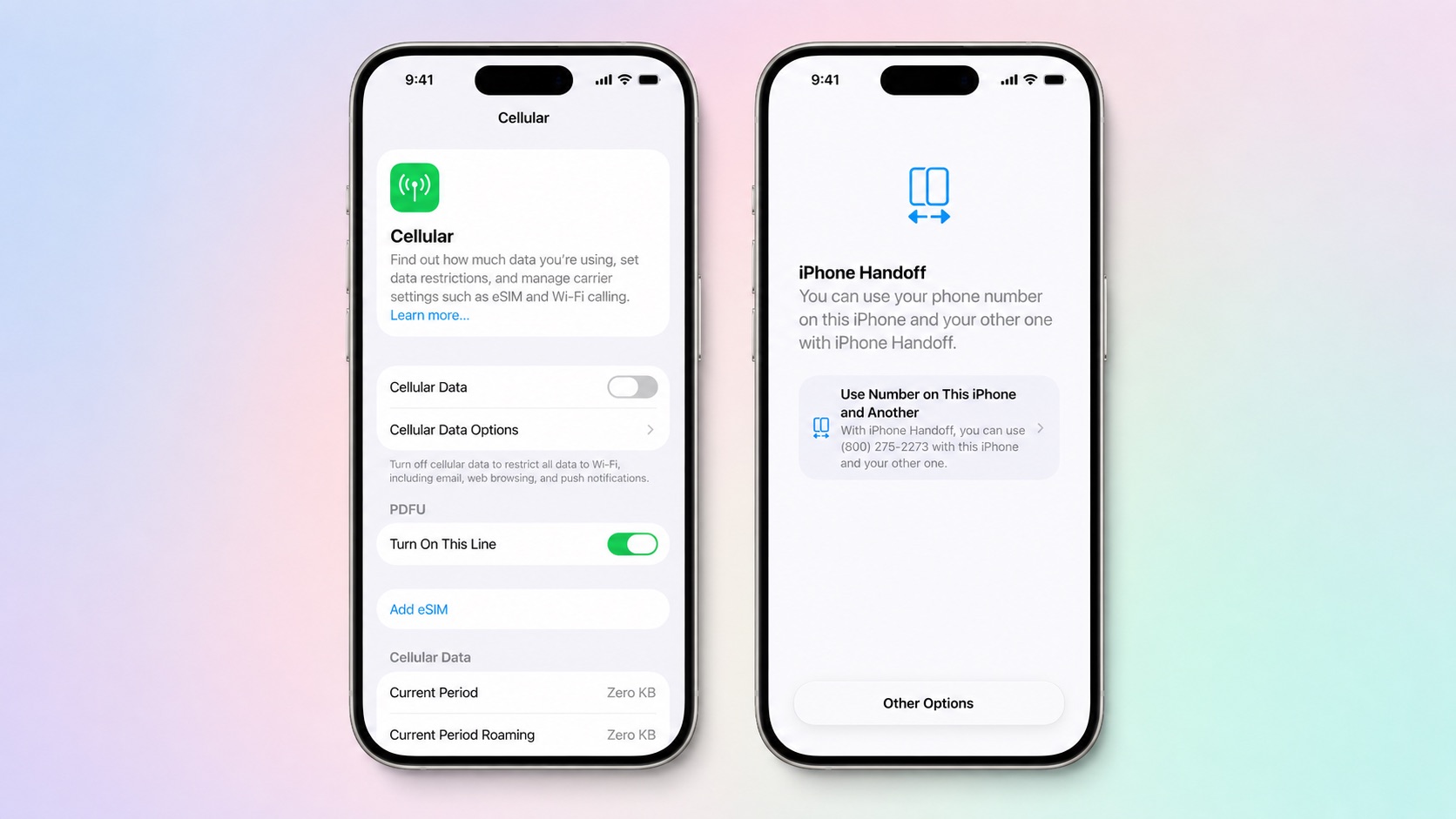
Setup can be done during the initial setup of a new iPhone. At the “Set Up Cellular” screen, the user chooses the option “Use Number on This iPhone and Another.” If the iPhone is already set up, the user can go to Settings > Cellular > Set Up Cellular or Add eSIM.
After setup, the user selects the main iPhone and the secondary iPhone. To activate the number on a device, the user simply unlocks that phone. The number then becomes active on that iPhone, and the other iPhone no longer receives calls or messages for that number.
Important considerations
Apple Watch does not switch pairing when the number moves to the other iPhone. Some Wallet items, such as transit passes and IDs, may work on only one device. Carrier account management, Call Forwarding, and Caller ID remain tied to the main iPhone.
These limitations mean that while iPhone Handoff covers core communication and location services, it does not extend to every feature or accessory. Users should review their specific needs before relying on the feature for all their daily tasks.
Replacing an iPhone
If a user replaces an iPhone that uses iPhone Handoff, they must transfer the eSIM from either iPhone. The steps are: Settings > Cellular > Set up Cellular or Add eSIM > select iPhone > Continue > Transfer. If the carrier does not support eSIM transfer from a companion iPhone, the user must re-enroll in iPhone Handoff. After the transfer, the eSIM deactivates on the old iPhone.
Stopping iPhone Handoff
To stop using iPhone Handoff, the user must contact their carrier. Deleting the eSIM may not stop carrier charges. This means that simply removing the eSIM from the device does not cancel the service or associated fees.
iPhone Handoff in iOS 27 offers a new way to use one number across two iPhones, but it comes with specific requirements, carrier dependencies, and limitations that users should understand before setting it up.


